

Last One Standing
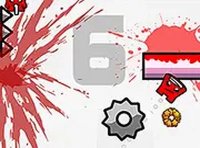
Mini Arena 2 Survival Challenge drops you into a compact, colorful arena with one clear objective: be the last player active when the match ends. You control a single character using keyboard and mouse. Movement, aiming, and item use are the core actions, and the controls are built to be picked up quickly. Matches are fast, so hesitation costs you. The game runs directly in a browser, which means no download or installation stands between you and a round.
Items, Power-Ups, and Drones
Scattered across the map are items and power-ups that give you an edge over opponents. These include different types of tools and tactical drones. Because item placement is random, you cannot rely on a single route or memorized pickup order. Each match forces you to adapt: search efficiently, decide whether a contested item is worth the risk, and use what you find before someone else does. Drones in particular can shift a fight in your favor, so collecting them when possible is a practical habit.
Movement, Stealth, and Positioning
Survival here is not only about defeating others. You can walk quietly to sneak up on opponents or jump to dodge incoming attacks. Open areas leave you exposed, while quieter movement lets you avoid drawing attention. The arena layout rewards players who learn its corners, sightlines, and item clusters. Listening for audio cues can reveal where opponents are, which matters when you cannot see the whole map at once. Sometimes avoiding a confrontation is the smarter play.
Who This Suits
The game is designed for players of all ages and experience levels. Simple controls and vibrant graphics make it accessible, while random item placement and unpredictable opponent behavior keep each match different. If you enjoy quick, self-contained browser rounds where reflexes and positioning matter more than long-term progression, this fits that pattern. Newcomers can learn the map over a few matches, and experienced arena players will find the decision-making around items and stealth familiar but still worth practicing.






Comments
0 comments