
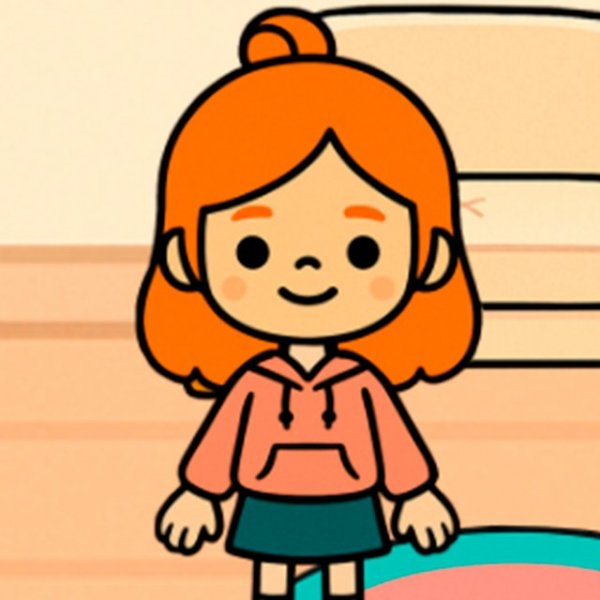
Morning Routine Choices
Each session begins in a main menu that presents the day's tasks. Players select a breakfast item, then an outfit, then a hairstyle for the character. Every selection draws from a set of in-game coins, so the order of choices and the available budget directly shape what the character can wear and eat. There is no timer or failure state; the pace is entirely player-driven.
Earning Coins with the Cheese Mini-Game
When coins run low, players open a computer within the game to play a mini-game. The goal is to catch falling cheese while avoiding small creatures. Input works with either keyboard keys or a mouse, depending on the device. Successful catches add coins to the total, which can then be spent on the morning routine. The mini-game is the only stated way to earn currency, so players who want more variety in outfits or meals will return to it regularly.
Simple Controls and Cross-Device Play
Avataria Life Sim for Girls runs in a web browser, which means it works on PCs, mobile phones, and tablets without separate downloads. The controls are intentionally straightforward: point-and-click or tap for menu choices, and either keyboard or mouse for the mini-game. This keeps the experience accessible for beginners and young children who may not be comfortable with complex input schemes.
What the Game Teaches
The loop of earning coins, then spending them on breakfast, clothes, and hairstyles introduces basic resource management. Players see that each choice has a cost and that playing the mini-game more often expands their options. Because there are no mature themes or complicated systems, the game stays focused on planning and prioritization in a safe, colorful environment. The mini-game also offers light practice in hand-eye coordination.





Comments
0 comments