
Radar-Based Traffic Control
Players watch a central radar screen showing approaching aircraft, then assign each plane a landing runway. After touchdown, aircraft move to a departure area for a brief ground period before you schedule the takeoff sequence. The core loop is about matching flights to available runway space and keeping the schedule moving without delays or conflicts. Success comes from prioritizing based on scheduled times and current traffic load, not from fast clicking.
Gradual Difficulty Curve
Early scenarios present only a few planes with generous time windows, so you can learn the radar interface and basic sequencing. Later stages introduce more aircraft, tighter schedules, and multiple runways that demand simultaneous management. This steady ramp lets newcomers build confidence before facing complex coordination tasks, while experienced players can chase higher scores by optimizing workflow and minimizing wait times for each flight.
Clear Visuals and Calm Pace
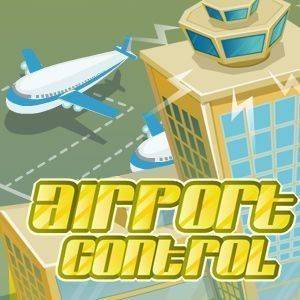
The interface uses bright colors and clear icons to distinguish aircraft types and airport zones. A central radar updates in real time, showing each plane's position and status. The style avoids clutter, making it easy to track multiple elements at once. There are no stressful time limits or sudden failures, so the presentation supports focused planning without visual fatigue.
Progression and Unlockables
Completing landing and takeoff sequences earns points that accumulate toward unlocking new airport locations. These destinations feature different runway layouts and traffic patterns, adding variety. Upgrades become available as you advance, improving radar accuracy or increasing ground handling speed. Daily tasks offer bonus points for meeting specific goals, encouraging regular play without pressuring you to rush.
Session Flexibility and Controls
Each scenario can be completed in a short session, making the game suitable for quick breaks, or you can chain multiple scenarios for extended play. There is no penalty for pausing or stepping away, so it fits easily into busy schedules. Controls are optimized for mouse and touch input, ensuring smooth interaction on both desktop and mobile devices.




Comments
0 comments