

Wave Structure and Escalation
Each round in Wave Navigator Survival Run presents a fresh set of objectives and hazards. The player must complete specific targets while steering clear of obstacles that appear across the play area. As waves progress, the density and speed of these elements increase, demanding sharper focus and quicker reactions. The game avoids random chaos by introducing patterns that observant players can learn and anticipate. This design creates a satisfying loop where each attempt builds on previous experience.
Ability System and Tactical Use
Two special abilities provide strategic options during play. The slow-motion effect temporarily reduces the speed of all on-screen elements, giving the player extra time to navigate tight spaces and line up precise movements. The screen-clearing ability removes all immediate threats, acting as a safety net when the action becomes overwhelming. Managing these resources effectively is key to surviving longer runs. Using them at the right moment can turn a near-failure into a successful wave completion.
Controls and Learning Curve
The control scheme relies on keyboard inputs for movement and interaction. New players can grasp the basics within a minute, but mastering the coordination between moving and completing targets takes practice. The game rewards players who learn to multitask efficiently. There is no complex combo system or steep learning barrier, making it accessible to casual gamers while still offering depth for those who want to improve their performance.
Session Length and Replay Value
Each session is designed to fit into a short break, typically lasting only a few minutes per attempt. This structure encourages repeated plays as players try to beat their previous records. The escalating difficulty ensures that no two runs feel identical, and the ability system introduces variability in how each wave can be approached. The game does not require a long-term commitment, making it a good choice for quick entertainment between other activities.
Visual and Audio Atmosphere
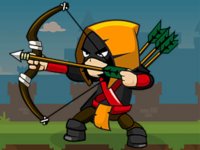
The visual style is clean and uncluttered, with clear distinctions between targets, obstacles, and the player character. This clarity helps players make split-second decisions without confusion. The audio feedback is subtle but effective, providing cues for ability activation and wave completion. The overall presentation avoids flashy distractions, keeping the focus on gameplay. This minimalist approach supports the fast-paced nature of the experience.



Comments
0 comments