
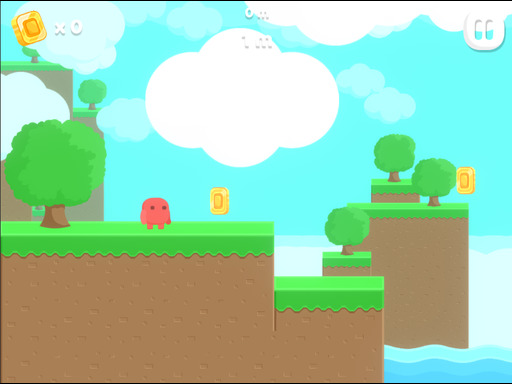
Stage Design and Hazards
Crimson Dash Adventure presents a series of side-scrolling stages, each with its own visual theme. Moving barriers and mischievous opponents populate these levels, requiring players to time their movements carefully. Concealed pathways reward exploration, offering alternate routes or hidden bonuses that can aid progress. The variety in stage themes keeps the visual experience fresh as players advance.
Controls and Core Actions
Players control the character using keyboard arrows or on-screen buttons. The primary actions are moving left or right, jumping to clear gaps and obstacles, and ducking to avoid overhead hazards. Precision matters: misjudging a jump or mistiming a duck often leads to failure. Collecting scattered coins and power-ups increases the score and provides temporary advantages, such as extra speed or protection. Each stage ends at a marked goal, which must be reached to unlock the next level.
Approaching Each Level
Success in Crimson Dash Adventure depends on rhythm and observation. Rushing through a stage often results in colliding with an enemy or falling into a trap. Instead, players benefit from studying obstacle patterns and enemy placements, then moving with steady timing. Power-ups should be saved for sections where they make the most difference, such as a cluster of moving barriers. Revisiting completed stages allows players to improve their performance and uncover all secrets, including hidden shortcuts and extra points.
Accessibility and Session Length
The game runs directly in a browser without any download, making it easy to start playing immediately. Its accessible controls suit both newcomers and experienced platforming fans. Fast-paced gameplay keeps sessions engaging whether played for a few minutes or longer. The free-to-access model means there is no barrier to trying it out.




Comments
0 comments